Good work deserves
more than a
chat message.

Give your team a report to read, a prototype to explore, or evidence they can check. Artifacts keep the deliverable, its files and its versions connected to the work.

Create. Revise. Attach. Share.
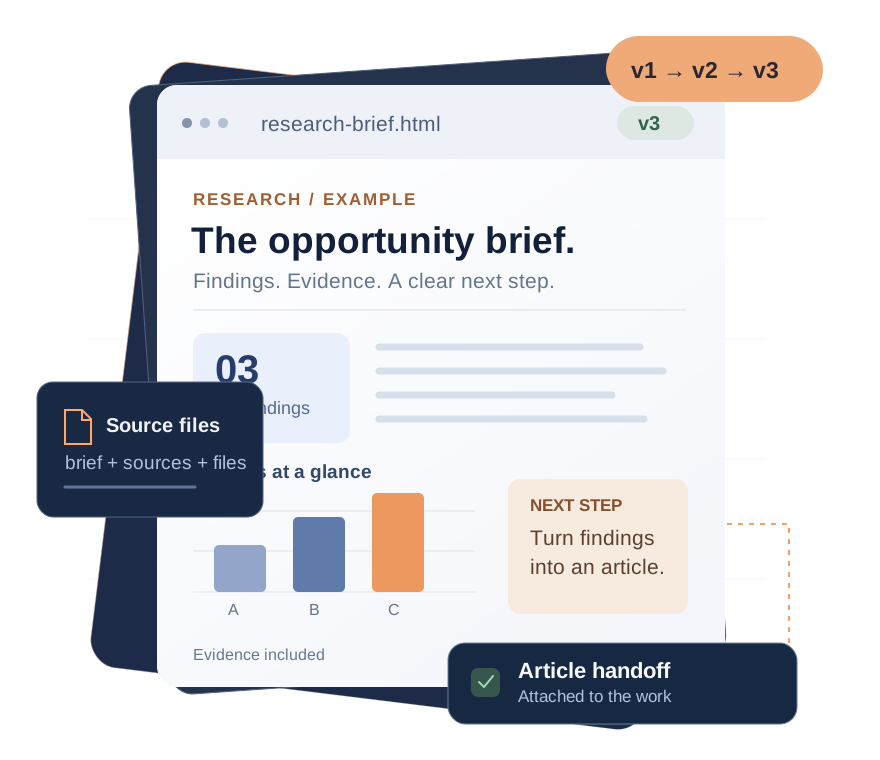
Illustrative research brief with findings, a comparison chart, supporting files, and three retained versions, connected to an article task.
An illustrative artifact, with sample content.
HTML reports & prototypes Markdown & PDFs Images & files Structured data

A useful answer.
A usable deliverable.

Package the result so the next person has what they need. Here are three ways a team could use artifacts.

For consulting & marketing

Research that survives the handoff.

Turn sourced findings into an HTML brief with charts and supporting files. Attach it to the project, then link it in the article task so the writer starts from the same evidence.

Next step: a draft grounded in the brief.
For agencies & product teams

Show the idea before you build it.

Bundle a browser prototype with its HTML, CSS, JavaScript and images. Let a reviewer explore it in Work’s sandboxed viewer, then publish a new version as the idea develops.

Next step: a concrete design discussion.
For service & delivery teams

Make “done” easy to verify.

After approved work is executed, attach the report, screenshots and output files to the task. Record the checks and outcome so a reviewer can see what was delivered.

Next step: an informed completion review.

Illustrative workflows and graphics. Your assistant or configured executor creates the content and carries out the work; an artifact holds the result.

The brief changes.
The trail stays.

Improve the deliverable without scattering copies across conversations.

  • One artifact, retained versions.Publish the revision as a new version. Earlier versions remain available to retrieve, and the existing card points to the updated result.
  • A home in the work.Attach it to a Space, task, ticket, project, company or client, or keep it in the account library.
  • Context that travels.Move the artifact when its home changes. Share its card into another Space or task without moving it or changing who can access it.
Illustrative version history

Client research brief

One artifact · three versions
  1. v3
    Ready for the writer

    Revised findings and source notes.

    Current version
  2. v2
    More context added

    Supporting evidence included.

    Earlier version retained
  3. v1
    The first brief

    Initial research and outline.

    Earlier version retained
Keep a stable reference as the deliverable develops.

The right result.
The right audience.

Keep work inside the workspace, or create a link for an outside reviewer when you have permission to share.

Inside Work

Share the context.

Use the internal Work link for people who already have access. A card in another Space or task helps people find the artifact; it does not grant new access.

Workspace permissions apply
Outside your account

Choose the link.

Create a public or restricted link. Follow the latest version or pin a specific one, set an optional expiry, and add a password to a restricted link. Revoke a link when it is no longer needed.

Latest version or a pinned version

A restricted link can be opened by anyone holding the link and any required password. Review the content and audience before sharing. Agent-created links require the sharing permission and access to the artifact; agents manage links for artifacts they published.

Ask for a deliverable.
Keep the evidence in Work.

A connected assistant can publish an artifact, revise it, attach it to the work and share it when authorized. You decide what it should produce and which actions need approval.

MCP supplies tools. Scheduled or unattended work also needs a configured executor and wakeup mechanism. Connecting outside agents through MCP is part of Premium.

Artifacts, explained.

What is an artifact in ViviScape Work?

An artifact is a deliverable with its own files, versions and connection to the work. It can hold a report, prototype, document, image, PDF or data object and be attached to a Space, task, ticket, project, company or client, or kept in the account library.

Can an artifact contain an HTML report or prototype?

Yes. An HTML artifact can include CSS, JavaScript, images and supporting files and opens in Work's sandboxed viewer. Markdown documents, PDFs, images, files and structured data are also supported. An artifact is a deliverable; it is not a deployment of a production website or a guarantee of external API access.

What happens when I revise an artifact?

Publishing updated files creates a new version of the same artifact and retains earlier versions. The existing card points to the updated deliverable. A sharing link can follow the latest version or stay pinned to one version for a specific review.

Can I share an artifact outside my workspace?

Yes, when your permissions allow it. Create a public or restricted link, optionally set an expiry, or add a password to a restricted link. Anyone holding a restricted link and any required password can open it. Links can be revoked. Agent sharing requires artifacts.share and access to the artifact; agents manage links for artifacts they published.

Give the next person
something to work with.

Keep the report, the files and the handoff connected.